Deploying simple servlets
- Download or copy the helloservlet.java below (It is in the servlets+jsp directory also of the Hall text. Or take one of my examples or another example from the web.)
- Compile it. Getting the compile to work will reveal problems with your classpath settings. In particular, you will need the servlet jar files in your classpath.
- Drop the class file into c:/your-tomcat-dir/webapps/ROOT/WEB-INF/classes directory. Note: In general, you should use the Tomcat manager utility to deploy/undeploy web apps and you should write a web.xml and deploy them to a directory under tomcat/webapps. Using the ROOT directory allows you to skip some steps.
- Servlet code:
import java.io.*;
import javax.servlet.*;
import javax.servlet.http.*;
public class HelloServlet extends HttpServlet {
public void doGet(HttpServletRequest request, HttpServletResponse response)
throws ServletException, IOException {
response.setContentType("text/html");
PrintWriter out = response.getWriter();
String docType =
"<!DOCTYPE HTML PUBLIC \"-//W3C//DTD HTML 4.0 " +
"Transitional//EN\">\n";
out.println(docType +
"<HTML>\n" +
"<HEAD><TITLE>Hello</TITLE></HEAD>\n" +
"<BODY BGCOLOR=\"#FDF5E6\">\n" +
"<H1>Hello from Higgins in the world of servlets</H1>\n" +
"</BODY></HTML>");
}
}
Depending on your Tomcat port setting you will access the HelloServlet with a url
like the one in the screenshot below.

1.
A second example is in a java package. This means you need to provide the same
directory structure when you build/deploy the servlet. Build a directory called coreservlets
– or change the package to something of your choice- and put HelloServlet2.java in that
directory.
package coreservlets;
import java.io.*;
import javax.servlet.*;
import javax.servlet.http.*;
public class HelloServlet2 extends HttpServlet {
public void doGet(HttpServletRequest request,
HttpServletResponse response)
throws ServletException, IOException {
response.setContentType("text/html");
PrintWriter out = response.getWriter();
String docType =
"<!DOCTYPE HTML PUBLIC \"-//W3C//DTD HTML 4.0 " +
"Transitional//EN\">\n";
out.println(docType +
"<HTML>\n" +
"<HEAD><TITLE>Hello (2)</TITLE></HEAD>\n" +
"<BODY
BGCOLOR=\"#FDF5E6\">\n" +
"<H1>Hello (2)</H1>\n" +
"</BODY></HTML>");
}
}
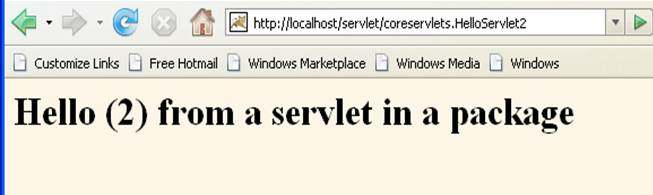
2.
A third example is in a package and uses a
utility class (in the same package) that comes with the text software
download. (Copy that text class file
into your package directory, for example.)
package coreservlets;
import java.io.*;
import javax.servlet.*;
import javax.servlet.http.*;
public class HelloServlet3 extends HttpServlet {
public void doGet(HttpServletRequest request,
HttpServletResponse response)
throws ServletException, IOException {
response.setContentType("text/html");
PrintWriter out = response.getWriter();
String title = "Hello (3)";
out.println(ServletUtilities.headWithTitle(title) +
"<BODY
BGCOLOR=\"#FDF5E6\">\n" +
"<H1>" + title + "</H1>\n" +
"</BODY></HTML>");
}
}
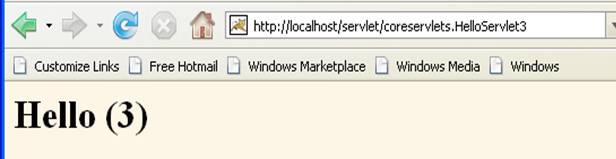
3. When you get all this
working, redo the same exercises with proper webapps
directories. In the case of the last
example, your directory called MyWebApp would contain a WEB-INF
directory, which would contain the web.xml file. WEB-INF would also contain a classes directory with the directory coreservlets (or
some other name of your choice) under it. The coreservlets dir would contain a couple of class files in it,
the (compiled) simple servlet and the utility.